DAM MS Insert · mid side plugin host
Put any plugin in mid side.
DAM MS Insert loads the plugin of your choice between an exact mid side encoder and decoder. Your EQ, compressor or saturator now works on the mid/side matrix of the mix, not on left and right. In one stereo instance, or in two separate mono instances with their own settings.
Free, in VST3, AU and AAX, for Mac and Windows.
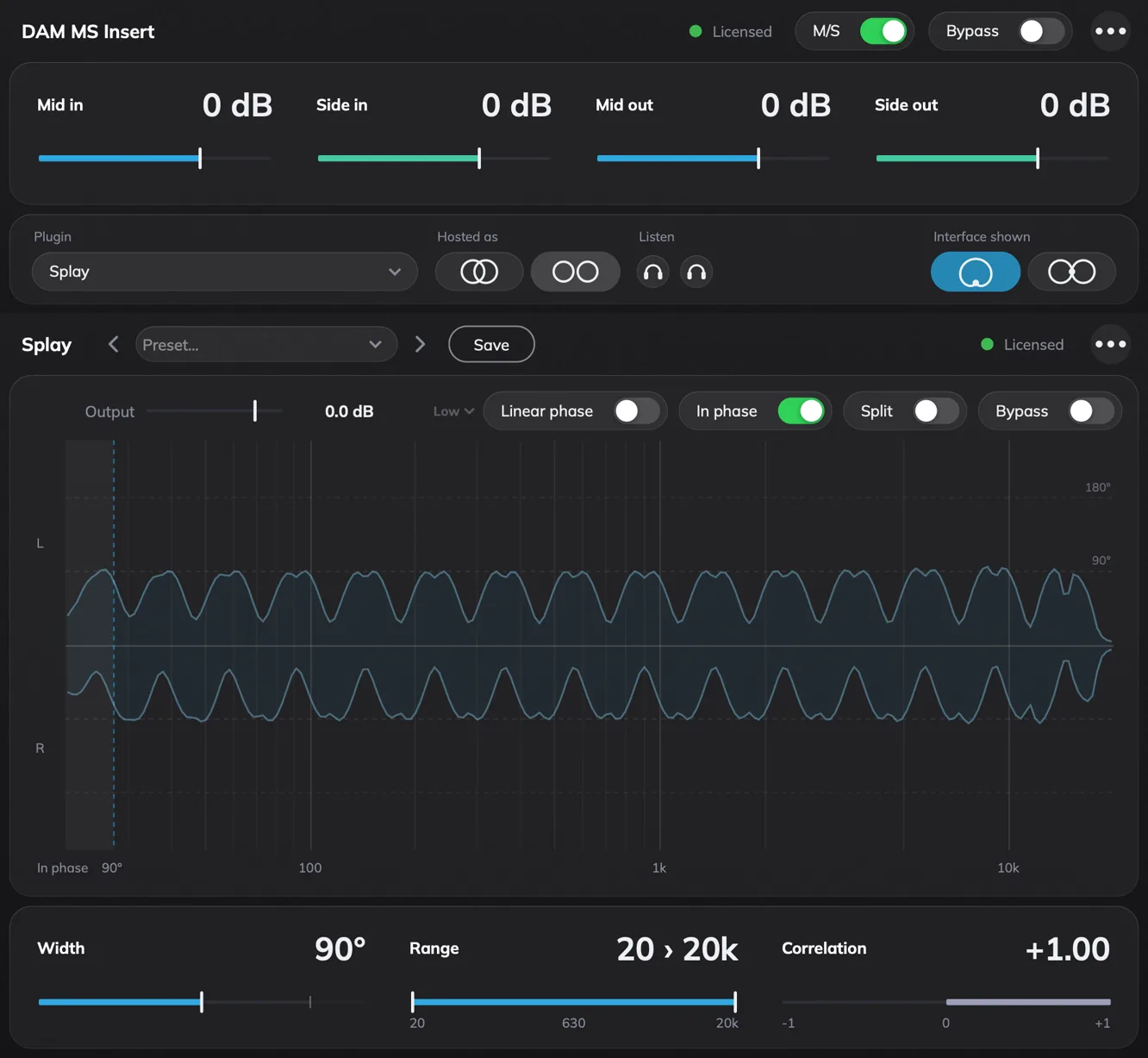
The whole plugin, hosting Splay in Dual mono. The hosted plugin opens inside the window: one tab for its Mid instance, one for its Side instance.
Our approach
Your plugins, within a Mid/Side Matrix
A stereo mix can be read two ways. Left and right, the way the speakers play it. Or mid and side: what's common in both channels, and what differs. Many decisions are easier in the second reading. Very few plugins offer a mid side mode; DAM MS Insert gives it to all of them.
The matrix
Four gains around the plugin you load
Left and right become Mid and Side on the way in, the plugin you load works on this matrix, and the result is decoded back to stereo. The matrix is exact: with nothing loaded, the output is the input.
Mid in and Side in set how hard each part drives the plugin. Mid out and Side out set the balance it returns, from +12 dB down to Off.
Stereo or Dual mono
One plugin for both channels, or one for each
Stereo loads one instance. Mid goes to its left input, Side to its right. Use it with plugins that link their channels, like a stereo compressor that should react to the whole picture.
Dual mono loads two instances of the same plugin, one for Mid and one for Side, each with its own settings. A bright EQ on the sides and a warm one in the centre, a fast compressor on one and a slow one on the other. The Interface shown tabs switch between the two windows.
Automation and recall
Write automation as if the plugin were on the track
DAM MS Insert passes the parameters of the hosted plugin to your DAW under their own names, prefixed Mid or Side in Dual mono. Move a control in the plugin's window and the DAW records it. Draw a curve in a lane and the plugin follows.
Only the parameters in use are listed, so the lanes menu stays short. The session stores the plugin, the hosting mode and every setting of each instance, and opens them as you left them.
Specifications
- Formats
- VST3 · Audio Units · AAX
- Platforms
- macOS 11 or later · Windows 10 or later, 64 bit
- Hosts
- VST3 effects · Audio Units effects on macOS
- Hosting
- Stereo · Dual mono, two instances with their own settings
- Automation
- The hosted plugin's parameters, under their own names
- Channels
- Stereo in, stereo out
- Latency
- The hosted plugin's own, reported to your DAW
- License
- Free · permanent license key